

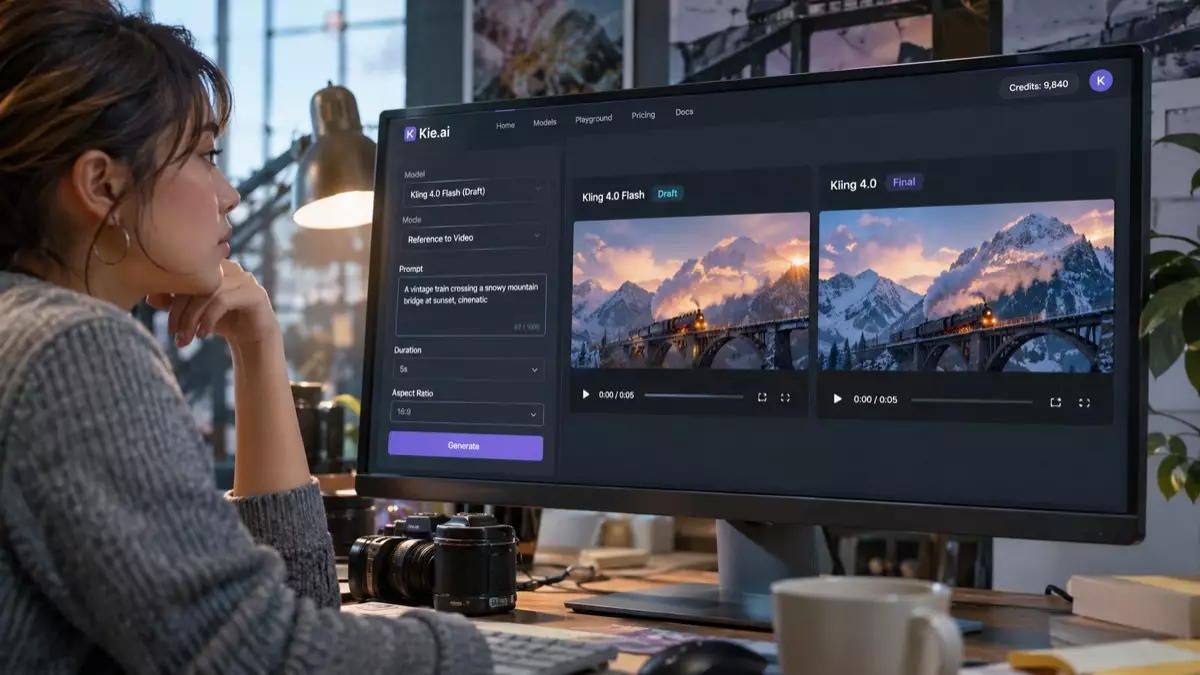
Kling 4.0 Flash is deliberately not Kling’s most capable video model, and that is the whole point. Kling 4.0 Flash, whose official API launched on November 4, 2026, gives up upper-end features in exchange for faster generation and lower cost. For product teams shipping video tools, that trade changes how pipelines get built.
- Kling 4.0 Flash is the Flash tier within the Kling 4.0 family. Kling positions it simply as “faster generation, greater value” without publishing a speed figure.
- Its capabilities are a subset of Kling 4.0: output is 720p only, and clips run 3 to 20 seconds.
- The rollout happened in three steps: the Kling app on September 28, 2026, the Kling 4.0 release note on October 15, and the official API on November 4.
- On Kie.ai, it ships as two models, Reference to Video and Keyframe to Video, behind a single asynchronous task API.
- Flash does not replace Kling 4.0. What it adds is a dedicated draft tier, which changes how teams iterate before committing to a final render.
A model defined by what it leaves out
Most AI video releases compete on headline specs: longer duration, higher resolution, and finer control. Kling 4.0 Flash moves in the opposite direction. It generates MP4 files at 720p only, in 8-bit SDR, with clips lasting from 3 to 20 seconds. Flash supports video from a first frame only; end-frame and multi-keyframe control are only in Kling 4.0. Even Kling’s official description stays qualitative, promising “faster generation, greater value” with no published speed multiple or benchmark score.
That restraint makes Flash a natural fit for iteration. Instead of spending flagship-level budget on every attempt, you can produce the ten rough takes a team reviews before deciding which direction deserves a full render.
Why draft tiers matter for product teams
Anyone who has built an application around generative video knows where the budget and patience go. The bottleneck is rarely the final render. It is the creative loop leading up to it: testing prompts, swapping reference assets, checking camera framing, and running another pass. When every experiment runs on the flagship model, iteration gets expensive and slow, so teams test fewer ideas and settle for weaker outputs.
A dedicated draft tier splits that workflow into two distinct phases. Early exploration runs on the fast, lower-cost tier, and only approved concepts graduate to the full model. Because both tiers belong to the Kling 4.0 family and share the Reference to Video and Keyframe to Video structure, moving a concept from draft to final render does not mean switching to a different model family.
Two modes, many input combinations
On Kie.ai, the Flash implementation mirrors the Kling 4.0 structure by consolidating inputs into two distinct models. Reference to Video handles several input patterns in one model: a text prompt by itself, a prompt paired with up to 10 reference images, a prompt with up to 7 elements, or a prompt with reference video, where all reference videos and video elements combined total 2 to 20 seconds. Reference to Video supports the auto, 16:9, 9:16, 1:1, and 21:9 aspect ratios. Keyframe to Video accepts a single first-frame image as a JPEG, PNG, or WEBP file up to 10 MB alongside a prompt, and its aspect ratio options do not include auto.
For engineering teams, this consolidation simplifies integration. Fewer model IDs mean less conditional branching in application code, reducing the routing decision to one practical question: must the clip start from an exact frame, or just follow visual references?
What a pipeline looks like in practice
In production, a practical workflow breaks into three steps. First, generate short Flash drafts from text prompts or visual references to lock down composition and camera motion. Second, put those rough cuts in front of the stakeholder who signs off on the direction. Third, promote only the winning shots to Kling 4.0 when the brief demands capabilities Flash omits: clips longer than 20 seconds (up to 30), higher-resolution output, or keyframe control beyond an opening frame. Formats that need only 720p and clips of 20 seconds or less can stay on Flash entirely.
Wiring it into an application
Developers can integrate the model through the Kling 4.0 Flash API on Kie.ai, which offers both modes with documentation for each and an interactive playground for testing prompts before touching code. All requests follow an asynchronous pattern: the initial call submits a job and returns a task ID, while the finished asset is fetched later or pushed to a callback URL. The example below requests a three-second clip from a text prompt against the Kie.ai endpoint and polls until the output URL is returned.
import os, json, time, requests
API = “https://api.kie.ai/api/v1/jobs”
HEADERS = {
“Authorization”: f”Bearer {os.environ[‘KIE_API_KEY’]}”,
“Content-Type”: “application/json”,
}
def create_clip(prompt, duration=3, aspect_ratio=”16:9″, image_urls=None):
payload = {“prompt”: prompt, “duration”: duration, “aspect_ratio”: aspect_ratio}
if image_urls:
payload[“image_urls”] = image_urls
body = {“model”: “kling-4.0/flash-reference-to-video”, “input”: payload}
r = requests.post(f”{API}/createTask”, headers=HEADERS, json=body, timeout=60)
r.raise_for_status()
data = r.json()
if data.get(“code”) != 200:
raise RuntimeError(data)
return data[“data”][“taskId”]
def wait_for_clip(task_id, max_wait=900):
delay, waited = 5, 0
while waited < max_wait:
r = requests.get(f”{API}/recordInfo”, headers=HEADERS,
params={“taskId”: task_id}, timeout=60)
r.raise_for_status()
info = r.json()[“data”]
if info[“state”] == “success”:
return json.loads(info[“resultJson”])[“resultUrls”]
if info.get(“failCode”) or info.get(“failMsg”):
raise RuntimeError(info.get(“failMsg”) or info.get(“failCode”))
time.sleep(delay)
waited += delay
delay = min(delay * 2, 60)
raise TimeoutError(task_id)
task = create_clip(“Slow push-in on a ceramic mug on a wooden cafe table, “
“morning light through a rainy window”)
print(wait_for_clip(task))
Three implementation details in the script deserve attention. First, the script checks the code field inside the JSON payload rather than trusting the HTTP status alone, and it raises an error if the task record reports a failCode or failMsg. Second, resultJson comes back as a serialized string that must be parsed before extracting resultUrls. Third, the polling delay starts at 5 seconds, doubles after each check, and is capped at 60 seconds, since video generation is asynchronous and hammering the endpoint helps nobody. In a live app, supplying a callback URL eliminates polling completely.
The limits are the product
- 720p only. Flash suits rough drafts and lightweight social clips; route jobs to Kling 4.0 whenever deliverables require a higher resolution.
- 3 to 20 seconds per clip. Longer takes require stitching multiple generations or switching to Kling 4.0, which supports clips up to 30 seconds.
- One opening image. Keyframe to Video builds motion from a single first frame.
- No auto aspect ratio in Keyframe to Video. Only Reference to Video offers auto.
- Reference video limits. Combined reference videos and video elements in a single request must total between 2 and 20 seconds.
- No published speed figure. Kling positions Flash as faster without citing numbers, so benchmark it on your real workloads before setting user expectations.
What to watch next
Dedicated draft tiers can change creative habits as much as raw quality leaps do. When teams can afford to run half a dozen variations before picking a direction, product interfaces shift from single-shot prompt boxes toward multi-take comparison views. The bigger question for builders is how widely the pairing of a flagship model with a lighter, lower-cost tier spreads across video providers, and how quickly UI patterns adapt to that split. Kie.ai hosts both Kling 4.0 and Kling 4.0 Flash under one account and one credit balance, so engineering teams can run side-by-side comparisons with identical prompts.